

OEM GPS Navigation Highlights Common Lexus IS 250 Navigation Repair Issues
News originally published by
EIN Presswire
Lexus IS 250 navigation repair

Lexus navigation screen repair
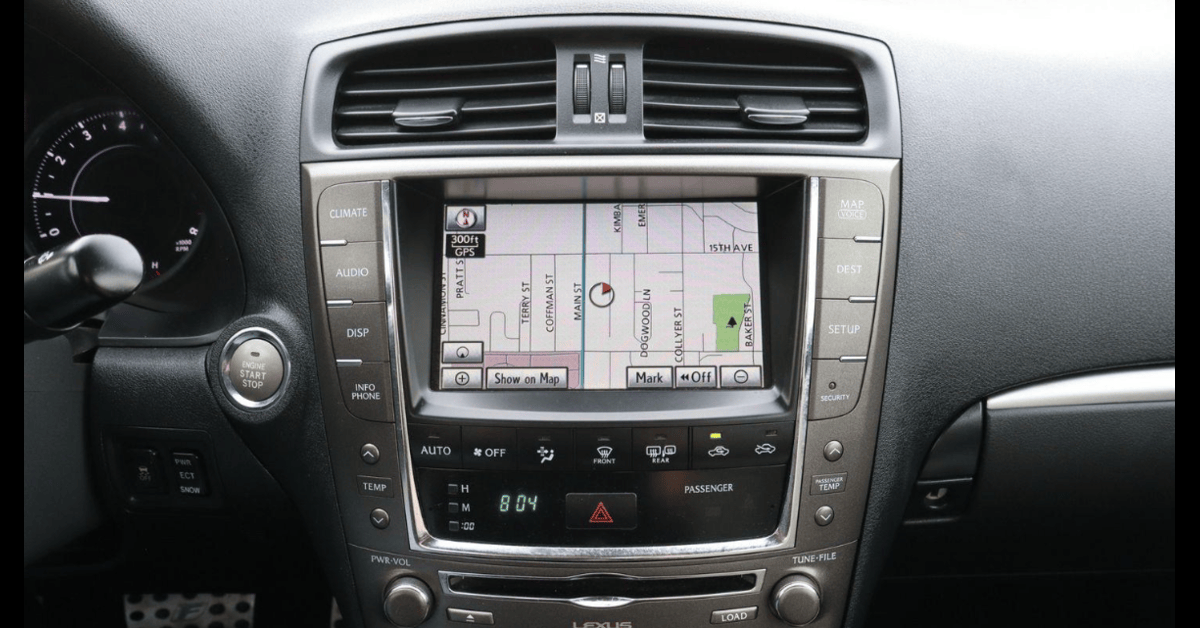
Lexus navigation system hardware repair
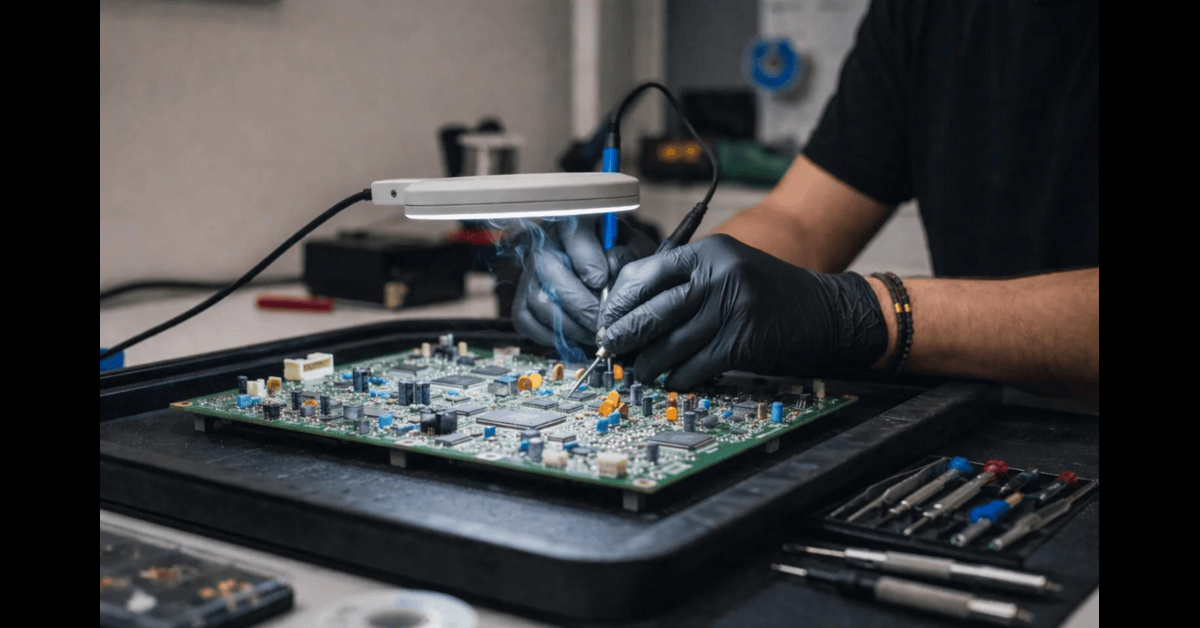
OEM GPS Navigation..
OEM GPS Navigation explains common Lexus IS 250 navigation faults, hardware issues, and repair considerations.
SACRAMENTO, CA, UNITED STATES, November 26, 2026 /EINPresswire.com/ -- [Sacramento, CA – November 20, 2026] – Factory-installed navigation systems play an important role in the driving experience of the Lexus IS 250. These systems provide route guidance, display maps, and connect with other vehicle functions, including audio and climate controls. ""Over time, however, electronic parts can develop faults that require Lexus IS 250 navigation repair, particularly if they affect screen response, map access, or normal system operation."" OEM GPS Navigation highlights common navigation problems in the Lexus IS 250 and explains the technical checks involved in identifying and repairing them.Navigation problems can appear in different ways. Some systems show a blank screen, while others respond slowly or fail to read map discs. A touchscreen may also stop responding in certain areas. Although these symptoms can look similar, they do not always have the same cause. Identifying the affected part is an important step before selecting a repair method.
Common Faults Found in Lexus IS 250 Navigation Units
The factory navigation unit in the Lexus IS 250 contains several electronic and mechanical parts. These components work together to process information, display maps, and respond to user input. A fault in one part can affect other functions of the system. For example, a problem with the display circuit can cause a blank screen, while a damaged touch panel can prevent users from selecting options.
Some common problems reported with these systems include an unresponsive touchscreen, a blank or flickering display, failed map disc reading, CD changer problems, and faults linked to the main video board. Each issue needs a separate technical assessment. Replacing the entire navigation unit without checking its internal condition may not be necessary in every case.
Touchscreen Response and Display Problems
The touchscreen is one of the main parts of the Lexus IS 250 navigation system. It allows the driver or passenger to select menu options and access different controls. With regular use, the touch panel can develop areas that no longer respond correctly. Some sections may work as expected, while other sections may fail to register contact.
A damaged touch panel can affect access to navigation, audio, and climate control menus. This can make normal system operation difficult, even if the screen still displays information. A separate display fault can cause dim images, flickering, lines, or a completely blank screen. These symptoms require checks of the screen, display connections, and related electronic circuits.
Lexus navigation screen repair involves identifying whether the fault comes from the touch panel, LCD display, video board, or another connected part. The correct repair depends on the unit's condition and the specific problem. A touchscreen fault, for example, may need a different repair from a damaged mainboard. Checking each part helps prevent unnecessary replacement and keeps the repair focused on the actual fault.
Map Disc Reading and Navigation Data Errors
Some Lexus IS 250 factory navigation units use physical map media to access stored road information. The system depends on a working disc drive and readable navigation data to display maps and calculate routes. A problem with the DVD-ROM drive can stop the unit from reading the map disc. In some cases, the screen may show an error message or fail to load the navigation menu.
A disc reading problem does not always mean that the map data itself is damaged. The issue may come from the drive mechanism, the disc condition, or another part involved in reading the stored information. A proper inspection helps separate these possible causes.
It is also useful to distinguish between an outdated map database and a hardware fault. Old map data can show roads or locations that no longer match current conditions. A damaged drive, however, can prevent the system from reading the disc at all. These problems need different solutions, so software or map changes alone may not resolve a mechanical or electronic fault.
Understanding Internal Board and Circuit Failures
The navigation unit contains a main electronic board that supports several functions. It includes circuits and components that process signals, manage power, and support communication between different parts of the system. A fault on this board can affect the display, touchscreen, navigation operation, or other connected features.
Lexus navigation system hardware repair requires an assessment of the electronic unit rather than a decision based only on the visible symptom. A blank screen, for instance, can result from a display fault, a power supply issue, a damaged connection, or a problem on the main board. The same symptom can have more than one possible cause.
A technical inspection may include checking connectors, circuit paths, board condition, and affected components. The unit's response during testing also helps narrow down the source of the problem. If a damaged component can be identified, the repair approach can focus on that area. The need for component repair or replacement depends on the condition of the board and the availability of suitable parts.
Why Accurate Unit Identification Matters
Lexus has used different navigation hardware across vehicle models and production years. Even systems fitted to vehicles from the same model range may have differences in part numbers, connectors, software, and internal design. As a result, the vehicle's model name alone may not provide enough information to select the correct repair procedure.
The Lexus IS 250 navigation unit should be identified by its model year and hardware details. Part numbers and other unit markings can help confirm the system version. This information is useful before the unit is removed, shipped, inspected, or sent for repair.
Correct identification also helps prevent compatibility problems. A replacement screen or electronic component must match the system's design. Using a part that does not fit the unit can lead to further faults or prevent normal operation. For this reason, checking the hardware information is an important part of the initial assessment.
How the Diagnostic Process Helps Locate the Fault
A structured diagnostic process helps technicians understand why a navigation unit is not working as expected. The first step is to review the reported symptoms and identify the exact unit. The next step is to inspect the affected functions and examine the relevant hardware.
The diagnostic process can include:
• Symptom review: Identifying issues such as a blank display, failed touch response, map reading errors, or repeated system interruptions.
• Unit identification: Checking the model year, part number, and hardware version to confirm the navigation system.
• Visual inspection: Looking for damaged connectors, visible board defects, loose connections, or signs of physical damage.
• Component testing: Checking the screen, touch panel, disc drive, power circuits, and other parts linked to the reported fault.
• Repair assessment: Determining whether the problem calls for a component-level repair, part replacement, or further evaluation.
• Operational testing: Checking the repaired unit's main functions before it is returned.
These steps help connect the reported symptom with the actual cause. They also provide a basis for deciding whether the original unit can be repaired or whether a replacement needs to be considered. The final repair decision depends on the test results and the condition of the equipment.
Repair Considerations for Original Factory Equipment
Factory navigation units are designed to work with the vehicle's original electronic layout. Their operation can be linked to audio controls, display functions, and other parts of the dashboard system. This makes compatibility an important factor during repair.
A repair assessment should consider the complete unit rather than only the part that appears to have failed. For example, replacing a touch panel may address an input problem, but it will not correct a separate mainboard fault. Similarly, repairing a display connection will not resolve a disc drive that cannot read map media.
OEM GPS Navigation provides repair services for original factory navigation equipment, including a listed repair service for 2006–2013 Lexus IS 250 and IS 350 navigation touchscreen systems. The company's repair information identifies issues such as unresponsive touch panels, display faults, CD changer problems, and DVD map drive reading failures. The specific repair method depends on the unit received and the results of its technical assessment.
Supporting Better Decisions About Navigation System Repairs
A faulty navigation system can affect several dashboard functions, but a visible problem does not always point to a complete unit failure. A touchscreen issue, display defect, disc drive fault, and circuit problem each require a different response. Understanding these differences can help vehicle owners and automotive service professionals make better decisions about repair and replacement.
OEM GPS Navigation's focus on factory navigation equipment includes identifying reported faults, assessing affected components, and determining suitable repair steps for selected systems. Its repair process also includes operational checks to review the unit's function after service. Accurate hardware identification and testing remain central to this work.
About OEM GPS Navigation
OEM GPS Navigation provides repair services for factory-installed automotive navigation systems and related electronic equipment. Its services cover multiple vehicle manufacturers and include assessment of navigation units, touchscreen faults, display problems, and electronic components. The company is based in Sacramento, California, and also provides a mail-in repair process for customers who cannot visit its location.
Media Contact
OEM GPS Navigation
Address: 8432 Rovana Circle, Suite 200, Sacramento, CA 95828
Call Us: (833)636-4777
Email: oemgpsnav@gmail.com
Website: www.oemgpsnavigation.com
OEM GPS Navigation
OEM GPS Navigation
+1 (833)636-4777
Legal Disclaimer:
EIN Presswire provides this news content "as is" without warranty of any kind. We do not accept any responsibility or liability for the accuracy, content, images, videos, licenses, completeness, legality, or reliability of the information contained in this article. If you have any complaints or copyright issues related to this article, kindly contact the author above.
